> ## Documentation Index
> Fetch the complete documentation index at: https://docs.context.dev/llms.txt
> Use this file to discover all available pages before exploring further.

# Agent Quickstart

> One prompt for your agent to set up and integrate Context.dev into your application

export const PromptBanner = ({prompt, message = "Use this pre-built prompt to get started faster."}) => {
  const [copied, setCopied] = useState(false);
  const timeoutRef = useRef(null);
  useEffect(() => {
    return () => {
      if (timeoutRef.current) {
        clearTimeout(timeoutRef.current);
      }
    };
  }, []);
  const handleCopy = useCallback(async () => {
    try {
      await navigator.clipboard.writeText(prompt);
      setCopied(true);
      if (timeoutRef.current) {
        clearTimeout(timeoutRef.current);
      }
      timeoutRef.current = setTimeout(() => {
        setCopied(false);
        timeoutRef.current = null;
      }, 2000);
    } catch (err) {
      console.error("Failed to copy:", err);
    }
  }, [prompt]);
  const handleOpenInCursor = useCallback(() => {
    const url = new URL('cursor://anysphere.cursor-deeplink/prompt');
    url.searchParams.set('text', prompt);
    window.location.href = url.toString();
  }, [prompt]);
  return <div className="not-prose my-6 rounded-lg border border-zinc-200 dark:border-zinc-800 bg-white dark:bg-zinc-950 overflow-hidden">
      <div className="p-4">
        <div className="mb-3">
          <div className="text-xs font-medium text-zinc-500 dark:text-zinc-400 mb-2">
            {message}
          </div>
          <div className="relative">
            <textarea readOnly value={prompt} className="w-full px-3 py-2 text-sm font-mono text-zinc-700 dark:text-zinc-300 bg-zinc-50 dark:bg-zinc-900 border border-zinc-200 dark:border-zinc-800 rounded-md resize-none focus:outline-none focus:ring-2 focus:ring-zinc-400 dark:focus:ring-zinc-600" rows={Math.min(prompt.split('\n').length, 6)} />
          </div>
        </div>

        <div className="flex items-center gap-2">
          <button onClick={handleOpenInCursor} className="inline-flex items-center gap-2 px-3 py-1.5 rounded-md bg-zinc-950 dark:bg-white text-sm font-medium text-white dark:text-zinc-950 hover:bg-zinc-800 dark:hover:bg-zinc-200 transition-colors" aria-label="Try in Cursor">
            <img src="/images/cursor-light.svg" alt="Cursor logo" className="size-4 block dark:hidden" loading="lazy" width="16" height="16" />
            <img src="/images/cursor-dark.svg" alt="Cursor logo" className="size-4 hidden dark:block" loading="lazy" width="16" height="16" />
            Try in Cursor
          </button>

          <button onClick={handleCopy} className="inline-flex items-center gap-2 px-3 py-1.5 rounded-md bg-zinc-100 dark:bg-zinc-800 text-sm font-medium text-zinc-950 dark:text-white hover:bg-zinc-200 dark:hover:bg-zinc-700 transition-colors" aria-label={copied ? "Copied" : "Copy prompt"} aria-live="polite">
            {copied ? <>
                <svg className="size-4" fill="none" viewBox="0 0 24 24" stroke="currentColor">
                  <path strokeLinecap="round" strokeLinejoin="round" strokeWidth={2} d="M5 13l4 4L19 7" />
                </svg>
                Copied
              </> : <>
                <svg className="size-4" fill="none" viewBox="0 0 24 24" stroke="currentColor">
                  <path strokeLinecap="round" strokeLinejoin="round" strokeWidth={2} d="M8 16H6a2 2 0 01-2-2V6a2 2 0 012-2h8a2 2 0 012 2v2m-6 12h8a2 2 0 002-2v-8a2 2 0 00-2-2h-8a2 2 0 00-2 2v8a2 2 0 002 2z" />
                </svg>
                Copy prompt
              </>}
          </button>
        </div>
      </div>
    </div>;
};

Get an API key, then paste the prompt below into your coding agent. It briefs the agent on every Context.dev endpoint, installs the MCP server and the skill, scans your repo for places Context.dev would help, and proposes project ideas tailored to you.

## Get your API key

<Steps>
  <Step title="Sign up">
    Create an account at [context.dev/signup](https://context.dev/signup). The free tier gives you 500 one-time credits. No credit card required.
  </Step>

  <Step title="Copy your key from the dashboard">
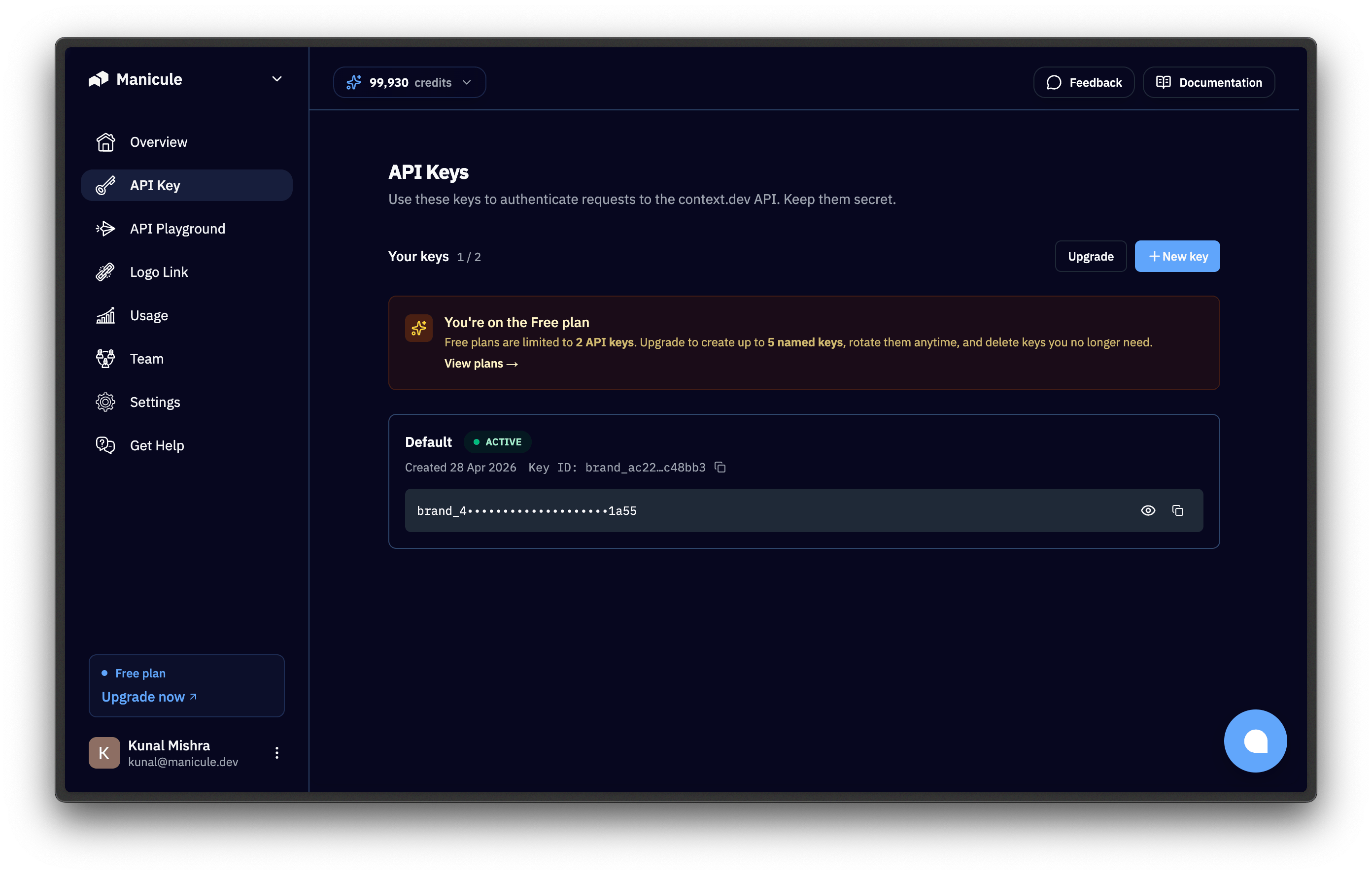
    Open the [dashboard](https://context.dev/dashboard) and copy the key from the "API Keys" section. It starts with `ctxt_secret_`.

    <img src="https://mintcdn.com/branddev/repamerS-LSYfOs8/images/api-keys.png?fit=max&auto=format&n=repamerS-LSYfOs8&q=85&s=d08f1d842eeb1efa546ad9f569c945bc" alt="API Keys section in the Context.dev dashboard" width="2784" height="1776" data-path="images/api-keys.png" />
  </Step>

  <Step title="Expose it as an environment variable">
    The SDKs, MCP server, and `curl` examples read `CONTEXT_DEV_API_KEY` from the environment:

    ```bash terminal theme={null}
    export CONTEXT_DEV_API_KEY="ctxt_secret_..."
    ```

    The official SDKs read `CONTEXT_DEV_API_KEY` first and fall back to `CONTEXT_API_KEY` if it isn't set, so exporting `CONTEXT_DEV_API_KEY` alone is enough. It's also the doc standard and what the MCP server and `curl` examples use.
  </Step>
</Steps>

<Warning>
  Never call the Context.dev API directly from a browser. The key would be visible to anyone with devtools. Always proxy through your backend.
</Warning>

## Copy the prompt

Run your agent in the directory where your application code is located and paste this prompt:
<PromptBanner
  message="Paste this into your agent's chat, system prompt, or CLAUDE.md."
  prompt="# You are onboarding this project to Context.dev

Context.dev is one API that turns any domain or URL into structured, AI-ready JSON, with no scrapers, proxies, or HTML cleanup to maintain.

## What you can call

| Surface | Inputs | Outputs | Guide |
|---|---|---|---|
| Brand Intelligence | domain · email · company name · stock ticker · ISIN · transaction descriptor | Typed company profile: logos[] (mode, type, resolution) · colors[] · socials[] · title · description · address · stock (ticker, exchange) · industries.eic[] · links | https://docs.context.dev/guides/get-brand-data |
| Logo Link CDN | publicClientId + domain (no API call) | Logo PNG/SVG in ~20ms; auto-generated monogram if none exists. Frontend-safe img embed. | https://docs.context.dev/guides/get-logo-from-url |
| Scrape to Markdown / HTML | URL | Clean Markdown (LLM-ready) or raw HTML, plus inline images | https://docs.context.dev/guides/scrape-websites-to-markdown#scrape-a-single-page-to-markdown |
| Sitemap | domain | Up to 100,000 sitemap URLs (default 10,000) | https://docs.context.dev/guides/scrape-websites-to-markdown#get-all-urls-of-a-domain |
| Full-site crawl | seed url (+ crawl options) | Full-site Markdown crawl from a starting URL (caps at 500 pages) | https://docs.context.dev/guides/scrape-websites-to-markdown#crawl-a-whole-site |
| Web search | query (+ optional domain filters, freshness, markdown options) | Ranked results (url, title, relevance), each optionally scraped to Markdown in the same request | https://docs.context.dev/guides/scrape-websites-to-markdown |
| Screenshots | domain or directUrl (viewport or full-page) | PNG image of the rendered page | https://docs.context.dev/guides/take-webpage-screenshot |
| Design system extraction | domain or directUrl | Colors, fonts, spacing, shadows, button/card styles: a usable styleguide | https://docs.context.dev/guides/extract-design-system-from-website#extract-the-full-styleguide |
| Product extraction | product page URL | Name, price, currency, features, images, category | https://docs.context.dev/guides/extract-product-from-websites |
| Structured web extraction | URL + JSON Schema (with per-field descriptions) | Typed data extracted by AI, no custom parsing | https://docs.context.dev/guides/extract-structured-data-from-websites |
| Industry classification | brand or domain | NAICS (2022), SIC (1987 or SEC EDGAR), EIC (ships inside every full brand response) | https://docs.context.dev/guides/classification/overview |
| Transaction enrichment | raw merchant descriptor (+ optional mcc, city, country) | Resolved brand + category for card/bank transactions | https://docs.context.dev/guides/enrich-transaction-codes |
| Prefetch (cache warm) | domain or email | 0-credit cache warm (paid plans only; 403 FORBIDDEN on the free tier); next lookup lands warm (under 1s) instead of a cold ~7s crawl | https://docs.context.dev/optimization/prefetching |

Credit costs: brand lookups & AI extraction (product/products/web extract; legacy query) = 10 · styleguide = 10 · fonts = 5 · screenshot = 5 · scrape (markdown/html/sitemap/images) = 1 (images 5 with enrichment) · crawl = 1 per page · search = 1 per result · prefetch = 0 (paid plans only). Pricing: https://context.dev/pricing
Performance: cached < 1s (~60% of brand lookups hit cache) · cold (first-time crawl) p50 ~7s / p90 ~18s / p99 ~1min · Logo Link CDN ~20ms. Brand data caches 3 months by default (maxAgeMs configurable; 0 forces a fresh crawl).

Now work the steps below in order. Don't skip ahead. Stop where a step says to.

## Step 1 — Find the credentials

Context.dev uses two separate credentials:

| Credential | Env var | What it powers | Exposure |
|---|---|---|---|
| API key (secret, starts with ctxt_secret_) | CONTEXT_DEV_API_KEY, fallback CONTEXT_API_KEY | Every REST + MCP call | Backend only |
| Logo Link client ID (public, starts with brandLL_) | LOGOLINK_PUBLIC_CLIENT_ID | img embeds from the CDN | Frontend-safe (domain-restricted) |

Check the environment and any local .env. Never print the actual key value back to me; just say whether each one was found.

If no API key, give me these steps and wait for my confirmation:

1. Sign up at https://context.dev/signup (free tier is 500 one-time credits, no card).
2. Copy the API key from the dashboard at https://context.dev/dashboard. (If you'll embed logos in a UI, grab the brandLL_... client ID too.)
3. Export it:
export CONTEXT_DEV_API_KEY='ctxt_secret_...'
# optional, only for frontend logo embeds:
export LOGOLINK_PUBLIC_CLIENT_ID='brandLL_...'
4. Tell me when it's set.

Setup + auth reference: https://docs.context.dev/quickstart

If the API key is set, say which credentials you found and continue.

## Step 2 — Brief me, then install MCP + skill

Use the 'What you can call' table above to give me a rundown of what Context.dev does. Then install the MCP server and the skill.

### Install the MCP server

This lets you call the APIs as tools and see real responses. Follow the install-MCP guide exactly; don't improvise commands or URLs:

https://docs.context.dev/install-mcp

The guide covers the hosted server URL, the auth header, and the exact setup for Claude Code, Cursor, VS Code, and Codex CLI. After installing, verify by asking yourself to look up the brand profile for loom.com via the Context.dev MCP and confirm a real tool call returns.

### Install the skill

So this knowledge persists across sessions without re-pasting. Read the install-skill guide and follow it as written; don't invent a SKILL.md or guess the artifact location:

https://docs.context.dev/install-skill

If anything in the install steps is missing or marked TBD, surface that to me before continuing.

## Step 3 — Scan this repo for integration opportunities

If this directory has application source code, read enough to understand it, then map findings against the table below. Reference exact files + lines. If the repo is empty / docs-only, say so and skip to Step 5.

| Code pattern | Replace / augment with | Guide |
|---|---|---|
| Signup or onboarding form asking for company name, logo, or website | Auto-fill from email or domain | https://docs.context.dev/guides/get-brand-data |
| Hardcoded, hotlinked, or broken company logos | Logo Link CDN img (always fresh, ~20ms) | https://docs.context.dev/guides/get-logo-from-url |
| CRM / leads / contacts table missing firmographics | Lead enrichment from domain or work email | https://docs.context.dev/guides/get-brand-data |
| Homegrown scraper, fetch+cheerio, Puppeteer, or proxy code | /web/scrape/markdown or /web/crawl (proxy + stealth included) | https://docs.context.dev/guides/scrape-websites-to-markdown |
| RAG / embeddings / LLM-context pipeline ingesting web pages | Clean Markdown scrape feeding the pipeline | https://docs.context.dev/guides/scrape-websites-to-markdown#scrape-a-single-page-to-markdown |
| Theming, white-labeling, 'match the customer brand' UI | Extract a full design system | https://docs.context.dev/guides/extract-design-system-from-website#extract-the-full-styleguide |
| Screenshot / thumbnail / preview generation | /web/screenshot | https://docs.context.dev/guides/take-webpage-screenshot |
| Product catalog / price scraping / e-commerce ingestion | /brand/ai/product (structured fields) | https://docs.context.dev/guides/extract-product-from-websites |
| Bank or card transaction strings shown raw to users | Merchant identification via /brand/transaction_identifier | https://docs.context.dev/guides/enrich-transaction-codes |
| Industry-tagging, spend analytics, compliance segmentation | NAICS / SIC / EIC classification | https://docs.context.dev/guides/classification/overview |
| Bespoke 'pull X from this website' parsing | /web/extract JSON Schema extraction | https://docs.context.dev/guides/extract-structured-data-from-websites |
| Latency-sensitive lookups on hot domains | Prefetch the cache (0 credits) | https://docs.context.dev/optimization/prefetching |

## Step 4 — Propose, then get my approval before touching code

Present findings as a numbered list. For each:

- File + line range and what it replaces.
- Endpoint(s) + rough credit cost.
- Jump link to the exact guide above.
- One line on why it's an improvement (less code, fresher data, faster UX, etc.).

Then ask which ones to implement. Don't modify files until I approve specific items. Use the official SDKs when you do (context.dev on npm, PyPI, RubyGems, and the Go SDK at github.com/context-dot-dev/context-go-sdk) and follow the quickstart for client initialization: https://docs.context.dev/quickstart

## Step 5 — Suggest uses + side projects tailored to me

Do this if application code doesn't exist here. Personalize using:

- My ~/.claude/CLAUDE.md and any project CLAUDE.md.
- My auto-memory index (MEMORY.md) and individual memory files, if present.
- Anything I've told you in this conversation.
- The repo's name and the directories around it.

Then produce:

1. 3–5 places in my actual work or stack where a Context.dev API would save effort or unlock something new. Tie each to a specific endpoint and a guide link from the 'What you can call' table.
2. 2–3 small, finishable side-project ideas (weekend-build scope) that lean on my interests. Show the endpoints each one needs. Examples to riff on:
- 'Brand kit in one box': paste a domain → logos, colors, fonts, screenshot (design system + Logo Link + screenshot).
- Competitor-watch dashboard: scheduled crawl + screenshot of a list of domains (scrape + screenshot).
- Lead-enrichment Sheet/CLI: paste emails → firmographics + NAICS (brand + classify).
- 'Describe any website' agent: typed answers from arbitrary URLs via a JSON Schema (web extract).
- Transaction-statement cleaner: raw card descriptors → real merchant + category (transaction lookup + classify).

Don't build anything in Step 5 unless I ask; just propose."
/>
