> ## Documentation Index
> Fetch the complete documentation index at: https://docs.context.dev/llms.txt
> Use this file to discover all available pages before exploring further.
# Get Logos from a Domain
> Embed any company logo in your app with Logo Link — a fast, cached CDN endpoint that returns a logo image for any domain you request.
Logo Link is a Context.dev service that provides fast, reliable logo delivery via a global CDN.
Pass a `publicClientId` and a `domain` to the Logo Link URL and use it as your `![]() ` source URL.
Logo Link is designed for direct image embedding, therefore images are not allowed to be cached or stored locally. Browsers cache each image for 24 hours, which means repeat requests from the same device within that window only count once.
I'm integrating Context.dev's Logo Link into my app to dynamically fetch and display company logos by domain. Help me:
1. Ask where in my codebase I want to display company logos.
2. Ask me for my Logo Link `publicClientId` from [https://context.dev/dashboard/logolink](https://context.dev/dashboard/logolink). Read it from an environment variable if the codebase supports one.
3. Implement Logo Link using this URL format: `https://logos.context.dev/?publicClientId=MY_PUBLIC_CLIENT_ID&domain=TARGET_DOMAIN`. Replace `MY_PUBLIC_CLIENT_ID` with the ID I provide and `TARGET_DOMAIN` with the company domain variable. Optionally add `theme=light` or `theme=dark` to request the best logo for a light or dark themed application. The endpoint returns an image file directly.
4. Update only the identified code locations that currently handle logo display, preserving existing fallback and error handling patterns.
5. Remind me to restrict allowed referring domains at [https://context.dev/dashboard/logolink](https://context.dev/dashboard/logolink) so strangers can't charge my account.
Docs: [https://docs.context.dev/guides/get-logo-from-url](https://docs.context.dev/guides/get-logo-from-url)
## Prerequisites
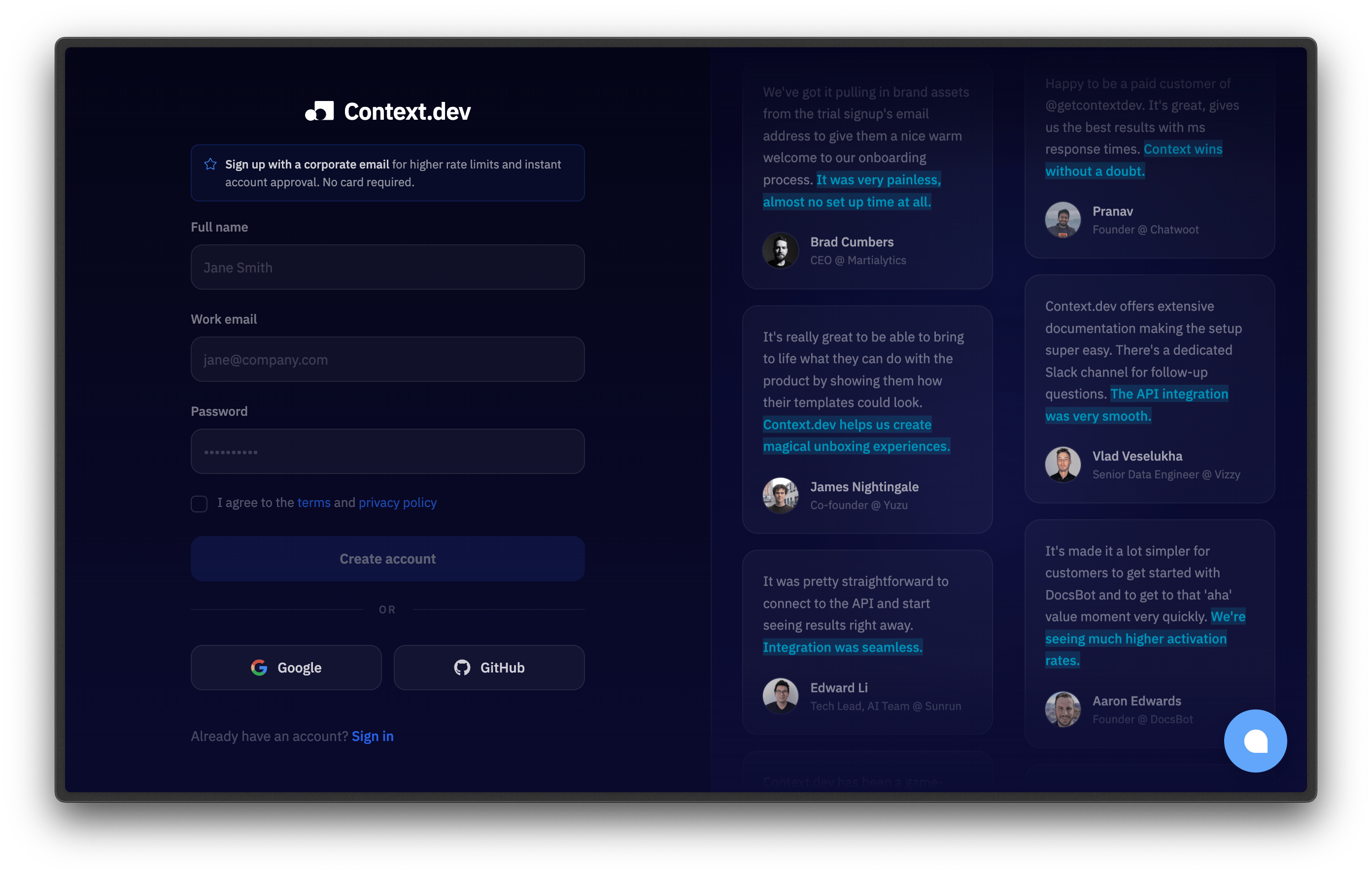
Create an account at [context.dev/signup](https://context.dev/signup). The free tier includes 10,000 Logo Link requests per month, no credit card required.
` source URL.
Logo Link is designed for direct image embedding, therefore images are not allowed to be cached or stored locally. Browsers cache each image for 24 hours, which means repeat requests from the same device within that window only count once.
I'm integrating Context.dev's Logo Link into my app to dynamically fetch and display company logos by domain. Help me:
1. Ask where in my codebase I want to display company logos.
2. Ask me for my Logo Link `publicClientId` from [https://context.dev/dashboard/logolink](https://context.dev/dashboard/logolink). Read it from an environment variable if the codebase supports one.
3. Implement Logo Link using this URL format: `https://logos.context.dev/?publicClientId=MY_PUBLIC_CLIENT_ID&domain=TARGET_DOMAIN`. Replace `MY_PUBLIC_CLIENT_ID` with the ID I provide and `TARGET_DOMAIN` with the company domain variable. Optionally add `theme=light` or `theme=dark` to request the best logo for a light or dark themed application. The endpoint returns an image file directly.
4. Update only the identified code locations that currently handle logo display, preserving existing fallback and error handling patterns.
5. Remind me to restrict allowed referring domains at [https://context.dev/dashboard/logolink](https://context.dev/dashboard/logolink) so strangers can't charge my account.
Docs: [https://docs.context.dev/guides/get-logo-from-url](https://docs.context.dev/guides/get-logo-from-url)
## Prerequisites
Create an account at [context.dev/signup](https://context.dev/signup). The free tier includes 10,000 Logo Link requests per month, no credit card required.
 Go to the [Logo Link dashboard](https://context.dev/dashboard/logolink) and copy the key from the "Public Client ID" section.
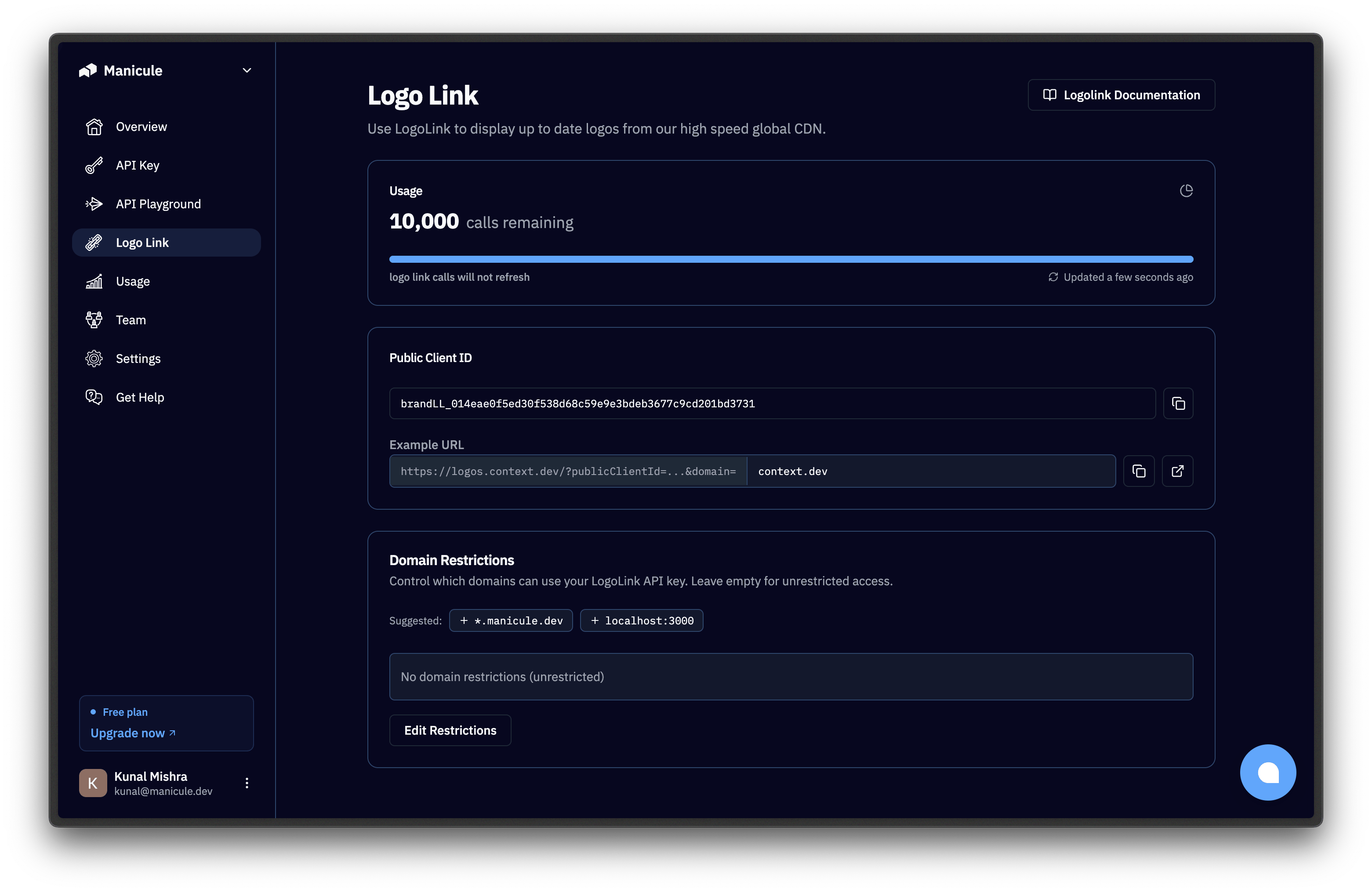 This `publicClientId` is safe to expose in your frontend, because it can only be called by the domains you have explicitly allowed.
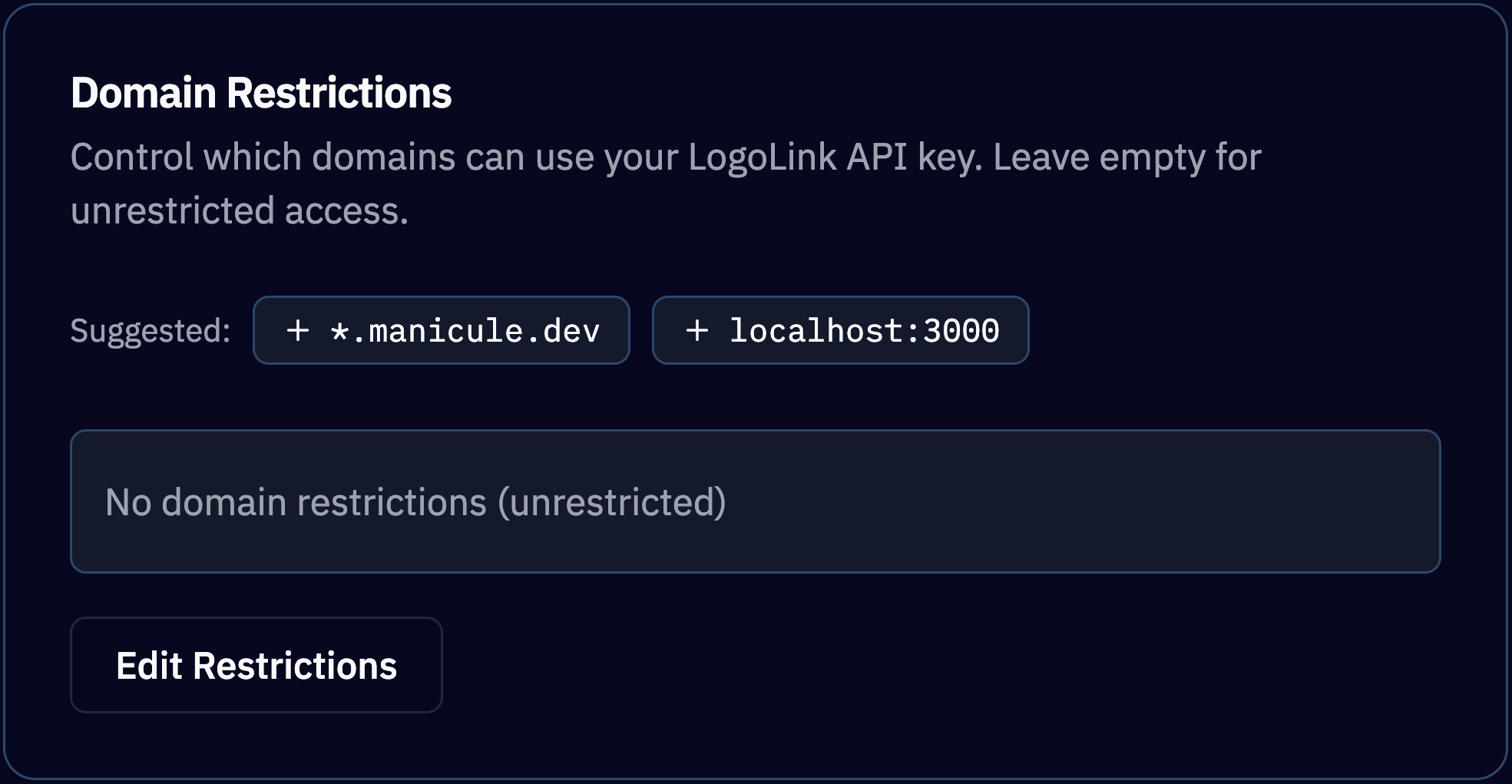
Click on Edit Restrictions and add your website domain where the image will be embedded:
* `*.example.com`
* `localhost:3000`
This `publicClientId` is safe to expose in your frontend, because it can only be called by the domains you have explicitly allowed.
Click on Edit Restrictions and add your website domain where the image will be embedded:
* `*.example.com`
* `localhost:3000`
 ## Build the URL
Replace `publicClientId` and `domain` in the Base URL and set it as the image source. You can also add a `theme` parameter to request the best logo for a light or dark themed application:
```text theme={null}
https://logos.context.dev/?publicClientId=brandLL_xxx&domain=github.com
```
### Parameters
| Parameter | Required | Description |
| ---------------- | -------- | ----------------------------------------------------------------------------------- |
| `publicClientId` | Yes | Your frontend-safe Logo Link client ID. |
| `domain` | Yes | The domain to fetch a logo for, such as `github.com`. |
| `theme` | No | Choose the logo variant for your UI theme. See the table below for accepted values. |
| `theme` value | Behavior |
| ------------- | ---------------------------------------------------------------- |
| Not set | Displays the highest resolution square image available. |
| `light` | Displays a dark logo for light themed applications (light mode). |
| `dark` | Displays a light logo for dark themed applications (dark mode). |
Logo Link accepts only `GET` and `HEAD` requests.
### Response
The body is the raw logo bytes; there is no JSON envelope. Point an `
## Build the URL
Replace `publicClientId` and `domain` in the Base URL and set it as the image source. You can also add a `theme` parameter to request the best logo for a light or dark themed application:
```text theme={null}
https://logos.context.dev/?publicClientId=brandLL_xxx&domain=github.com
```
### Parameters
| Parameter | Required | Description |
| ---------------- | -------- | ----------------------------------------------------------------------------------- |
| `publicClientId` | Yes | Your frontend-safe Logo Link client ID. |
| `domain` | Yes | The domain to fetch a logo for, such as `github.com`. |
| `theme` | No | Choose the logo variant for your UI theme. See the table below for accepted values. |
| `theme` value | Behavior |
| ------------- | ---------------------------------------------------------------- |
| Not set | Displays the highest resolution square image available. |
| `light` | Displays a dark logo for light themed applications (light mode). |
| `dark` | Displays a light logo for dark themed applications (dark mode). |
Logo Link accepts only `GET` and `HEAD` requests.
### Response
The body is the raw logo bytes; there is no JSON envelope. Point an `![]() ` tag at the URL and the browser renders it. Fetch it with code and you get a binary blob.
| Header | Value |
| --------------- | ------------------------------------------------------------------------------------ |
| `Content-Type` | The actual media type of the image: `image/png`, `image/svg+xml`, `image/jpeg`, etc. |
| `Cache-Control` | 24-hour browser cache. |
## Pricing
Logo Link usage is billed separately from the core Context.dev APIs. Logo Link requests **do not** consume your API credits. Every plan comes with a dedicated monthly Logo Link requests pool along with its API credits:
| Plan | API credits / month | Logo Link requests / month |
| -------------- | ------------------- | -------------------------- |
| Free | 500 (one-time) | 10,000 |
| Hobby (\$25) | 10,000 | 100,000 |
| Starter (\$49) | 30,000 | 500,000 |
| Pro (\$149) | 200,000 | 2,500,000 |
| Scale (\$949) | 2,500,000 | 25,000,000 |
| Enterprise | Custom | Custom |
See [pricing](https://context.dev/pricing/) for details.
**Logo Link has no rate limit**, and you can track your current usage in the [Logo Link dashboard](https://context.dev/dashboard/logolink).
**Billing is throttled to one charge per unique logo per client per 24 hours**. Spikes of traffic for the same handful of logos cost the same as steady traffic.
**Logos are delivered with a 24-hour browser `Cache-Control` header** so a repeat view in the same browser session doesn't count towards your usage. This header-driven browser/CDN caching is expected and allowed. See [Usage Restrictions](#usage-restrictions) for what isn't.
## Embed the image
Drop the URL into any place that accepts an image source: `
` tag at the URL and the browser renders it. Fetch it with code and you get a binary blob.
| Header | Value |
| --------------- | ------------------------------------------------------------------------------------ |
| `Content-Type` | The actual media type of the image: `image/png`, `image/svg+xml`, `image/jpeg`, etc. |
| `Cache-Control` | 24-hour browser cache. |
## Pricing
Logo Link usage is billed separately from the core Context.dev APIs. Logo Link requests **do not** consume your API credits. Every plan comes with a dedicated monthly Logo Link requests pool along with its API credits:
| Plan | API credits / month | Logo Link requests / month |
| -------------- | ------------------- | -------------------------- |
| Free | 500 (one-time) | 10,000 |
| Hobby (\$25) | 10,000 | 100,000 |
| Starter (\$49) | 30,000 | 500,000 |
| Pro (\$149) | 200,000 | 2,500,000 |
| Scale (\$949) | 2,500,000 | 25,000,000 |
| Enterprise | Custom | Custom |
See [pricing](https://context.dev/pricing/) for details.
**Logo Link has no rate limit**, and you can track your current usage in the [Logo Link dashboard](https://context.dev/dashboard/logolink).
**Billing is throttled to one charge per unique logo per client per 24 hours**. Spikes of traffic for the same handful of logos cost the same as steady traffic.
**Logos are delivered with a 24-hour browser `Cache-Control` header** so a repeat view in the same browser session doesn't count towards your usage. This header-driven browser/CDN caching is expected and allowed. See [Usage Restrictions](#usage-restrictions) for what isn't.
## Embed the image
Drop the URL into any place that accepts an image source: `![]() `, CSS `background-image`, an email template, a spreadsheet `=IMAGE()` cell.
```html theme={null}
`, CSS `background-image`, an email template, a spreadsheet `=IMAGE()` cell.
```html theme={null}
 ```
```css theme={null}
.company-card {
background-image: url("https://logos.context.dev/?publicClientId=brandLL_xxx&domain=stripe.com");
background-size: contain;
background-repeat: no-repeat;
}
```
```jsx theme={null}
function CompanyLogo({ domain }) {
const publicClientId = process.env.NEXT_PUBLIC_LOGOLINK_KEY;
return (
```
```css theme={null}
.company-card {
background-image: url("https://logos.context.dev/?publicClientId=brandLL_xxx&domain=stripe.com");
background-size: contain;
background-repeat: no-repeat;
}
```
```jsx theme={null}
function CompanyLogo({ domain }) {
const publicClientId = process.env.NEXT_PUBLIC_LOGOLINK_KEY;
return (
 {
e.target.style.display = "none";
}}
/>
);
}
```
```javascript theme={null}
const response = await fetch(
"https://logos.context.dev/?publicClientId=brandLL_xxx&domain=github.com",
);
if (response.ok) {
const blob = await response.blob();
const imageUrl = URL.createObjectURL(blob);
document.getElementById("logo").src = imageUrl;
}
```
```html theme={null}
```
```text theme={null}
=IMAGE("https://logos.context.dev/?publicClientId=brandLL_xxx&domain=" & A2)
```
See the [Google Sheets](/nocode/google-sheets) and [Microsoft Excel](/nocode/microsoft-excel) recipes.
**Fallback behavior.** If Logo Link cannot find a logo for the domain, it returns a generated SVG monogram of the domain's first letter. You always get a valid image response, so an `
{
e.target.style.display = "none";
}}
/>
);
}
```
```javascript theme={null}
const response = await fetch(
"https://logos.context.dev/?publicClientId=brandLL_xxx&domain=github.com",
);
if (response.ok) {
const blob = await response.blob();
const imageUrl = URL.createObjectURL(blob);
document.getElementById("logo").src = imageUrl;
}
```
```html theme={null}
```
```text theme={null}
=IMAGE("https://logos.context.dev/?publicClientId=brandLL_xxx&domain=" & A2)
```
See the [Google Sheets](/nocode/google-sheets) and [Microsoft Excel](/nocode/microsoft-excel) recipes.
**Fallback behavior.** If Logo Link cannot find a logo for the domain, it returns a generated SVG monogram of the domain's first letter. You always get a valid image response, so an `![]() ` tag never breaks.
Example:
` tag never breaks.
Example:
 ## Usage Restrictions
Logo Link is intentionally ephemeral, fast and image-only. **You are not allowed to download and re-host logos retrieved from Logo Link, or persist the image files in your own storage.** (Normal browser and CDN caching driven by the response's `Cache-Control` headers is fine.)
Use Context.dev's [Brand APIs](/guides/get-brand-data) if you:
* Need to store logos in your own database
* Get multiple logo variants (light / dark / opaque background, icon vs wordmark)
* Or, pull logo colors and other brand details alongside the logo
Need the brand's fonts too? Those come from the [Styleguide and Fonts APIs](/guides/extract-design-system-from-website).
## Use cases
Logo Link is purpose-built for client-facing embeds where you'd otherwise have to host logo assets yourself:
* **CRM & Sales Platforms**: Drop a Logo Link URL into every contact record.
* **Customer Logo Walls**: Use users' sign-up email domains to automatically generate "trusted by" strips on landing pages.
* **Financial & Banking Apps**: Render merchant logos next to transaction descriptors.
* **Directories & Marketplaces**: Populate listings with logos automatically, with no upload step in vendor onboarding.
## Next steps
Logos, colors, socials, address, and industry from one call.
`=IMAGE()` formula patterns for logo columns at scale.
Caching, error handling, and key hygiene.
Status codes, retry patterns, and common errors.
## Usage Restrictions
Logo Link is intentionally ephemeral, fast and image-only. **You are not allowed to download and re-host logos retrieved from Logo Link, or persist the image files in your own storage.** (Normal browser and CDN caching driven by the response's `Cache-Control` headers is fine.)
Use Context.dev's [Brand APIs](/guides/get-brand-data) if you:
* Need to store logos in your own database
* Get multiple logo variants (light / dark / opaque background, icon vs wordmark)
* Or, pull logo colors and other brand details alongside the logo
Need the brand's fonts too? Those come from the [Styleguide and Fonts APIs](/guides/extract-design-system-from-website).
## Use cases
Logo Link is purpose-built for client-facing embeds where you'd otherwise have to host logo assets yourself:
* **CRM & Sales Platforms**: Drop a Logo Link URL into every contact record.
* **Customer Logo Walls**: Use users' sign-up email domains to automatically generate "trusted by" strips on landing pages.
* **Financial & Banking Apps**: Render merchant logos next to transaction descriptors.
* **Directories & Marketplaces**: Populate listings with logos automatically, with no upload step in vendor onboarding.
## Next steps
Logos, colors, socials, address, and industry from one call.
`=IMAGE()` formula patterns for logo columns at scale.
Caching, error handling, and key hygiene.
Status codes, retry patterns, and common errors.