Logo Link is a Context.dev service that provides fast, reliable logo delivery via a global CDN. Pass a publicClientId and a domain to the Logo Link URL and use it as your <img> source URL.

Integrate Context.dev's Logo Link in your app

Open in Cursor

Try it

Prerequisites

1

Sign up

Create an account at context.dev/signup. The free tier includes 10,000 Logo Link requests per month, no credit card required.Context.dev signup page
2

Get your Public Client ID

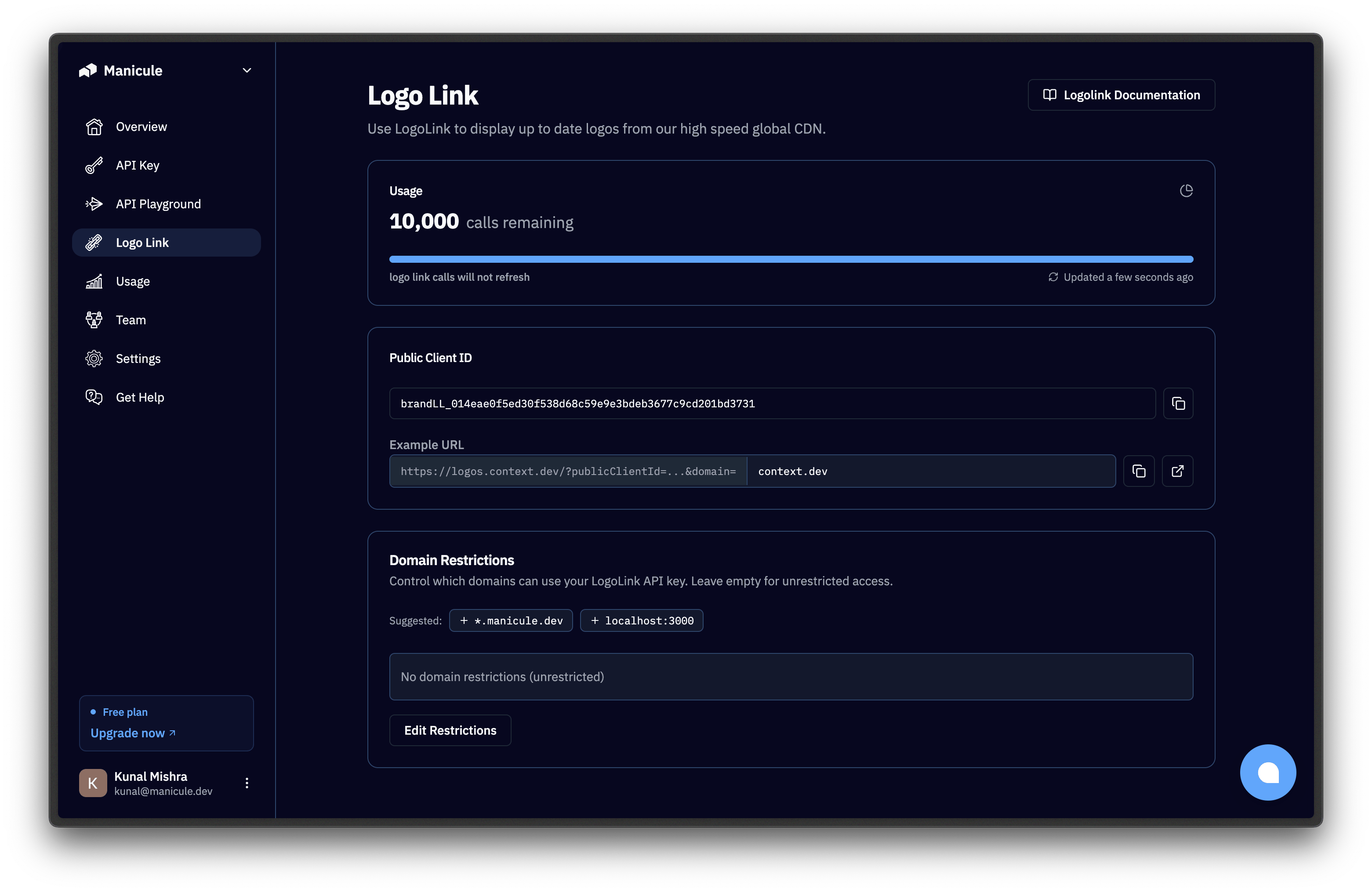
Go to the Logo Link dashboard and copy the key from the “Public Client ID” section.Logo Link dashboard showing Public Client ID and Domain Restrictions
This publicClientId is safe to expose in your frontend, because it can only be called by the domains you have explicitly allowed.
3

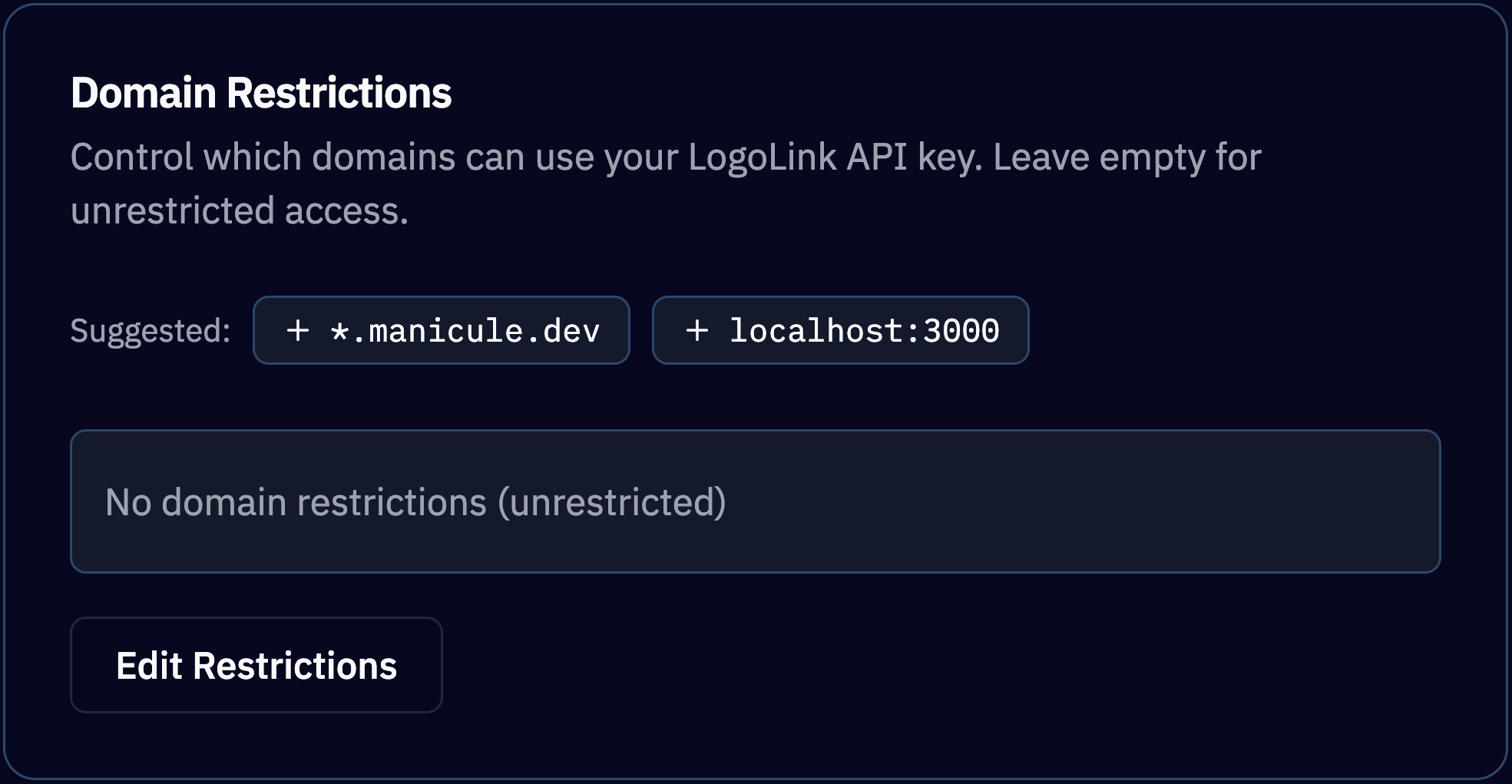
Important: Set Domain Restrictions

Click on Edit Restrictions and add your website domain where the image will be embedded:
  • *.example.com
  • localhost:3000
Logo Link dashboard showing Public Client ID and Domain Restrictions

Build the URL

Replace publicClientId and domain in the Base URL and set it as the image source:
https://logos.context.dev/?publicClientId=brandLL_xxx&domain=github.com
Logo Link accepts only GET and HEAD requests.

Response

The body is the raw logo bytes; there is no JSON envelope. Point an <img> tag at the URL and the browser renders it. Fetch it with code and you get a binary blob.
HeaderValue
Content-TypeThe actual media type of the image: image/png, image/svg+xml, image/jpeg, etc.
Cache-Control24-hour browser cache.

Pricing

Logo Link usage is billed separately from the core Context.dev APIs. Logo Link requests do not consume your API credits. Every plan comes with a dedicated monthly Logo Link requests pool along with its API credits:
PlanAPI credits / monthLogo Link requests / month
Free500 (one-time)10,000
Starter ($49)30,000500,000
Pro ($149)200,0002,500,000
Scale ($949)2,500,00025,000,000
EnterpriseCustomCustom
See pricing for details. Logo Link has no rate limit, and you can track your current usage in the Logo Link dashboard. Billing is throttled to one charge per unique logo per client per 24 hours. Spikes of traffic for the same handful of logos cost the same as steady traffic. Logos are delivered with a 24-hour browser Cache-Control header so a repeat view in the same browser session doesn’t count towards your usage. This header-driven browser/CDN caching is expected and allowed. See Usage Restrictions for what isn’t.

Embed the image

Drop the URL into any place that accepts an image source: <img>, CSS background-image, an email template, a spreadsheet =IMAGE() cell.
<img
  src="https://logos.context.dev/?publicClientId=brandLL_xxx&domain=stripe.com"
  alt="Stripe logo"
/>
Fallback behavior. If Logo Link cannot find a logo for the domain, it returns a generated SVG monogram of the domain’s first letter. You always get a valid image response, so an <img> tag never breaks. Example:Monogram fallback returned for an unknown domain: a grey square with the letter N

Usage Restrictions

Logo Link is intentionally ephemeral, fast and image-only. You are not allowed to download and re-host logos retrieved from Logo Link, or persist the image files in your own storage. (Normal browser and CDN caching driven by the response’s Cache-Control headers is fine.) Use Context.dev’s Brand APIs if you:
  • Need to store logos in your own database
  • Get multiple logo variants (light / dark / opaque background, icon vs wordmark)
  • Or, pull logo colors and other brand details alongside the logo
Need the brand’s fonts too? Those come from the Styleguide and Fonts APIs.

Use cases

Logo Link is purpose-built for client-facing embeds where you’d otherwise have to host logo assets yourself:
  • CRM & Sales Platforms: Drop a Logo Link URL into every contact record.
  • Customer Logo Walls: Use users’ sign-up email domains to automatically generate “trusted by” strips on landing pages.
  • Financial & Banking Apps: Render merchant logos next to transaction descriptors.
  • Directories & Marketplaces: Populate listings with logos automatically, with no upload step in vendor onboarding.

Next steps

Full Brand Profile

Logos, colors, socials, address, and industry from one call.

Google Sheets Recipe

=IMAGE() formula patterns for logo columns at scale.

Best Practices

Caching, error handling, and key hygiene.

Troubleshooting

Status codes, retry patterns, and common errors.